
How to Use the Circle Club Talent Blocks Chrome Extension
How to Use the Circle Club Talent Blocks Chrome Extension
This guide explains how to install and use the Circle Club Talent Blocks Chrome extension to quickly copy talent statistics from your roster and reuse them in emails or documents.
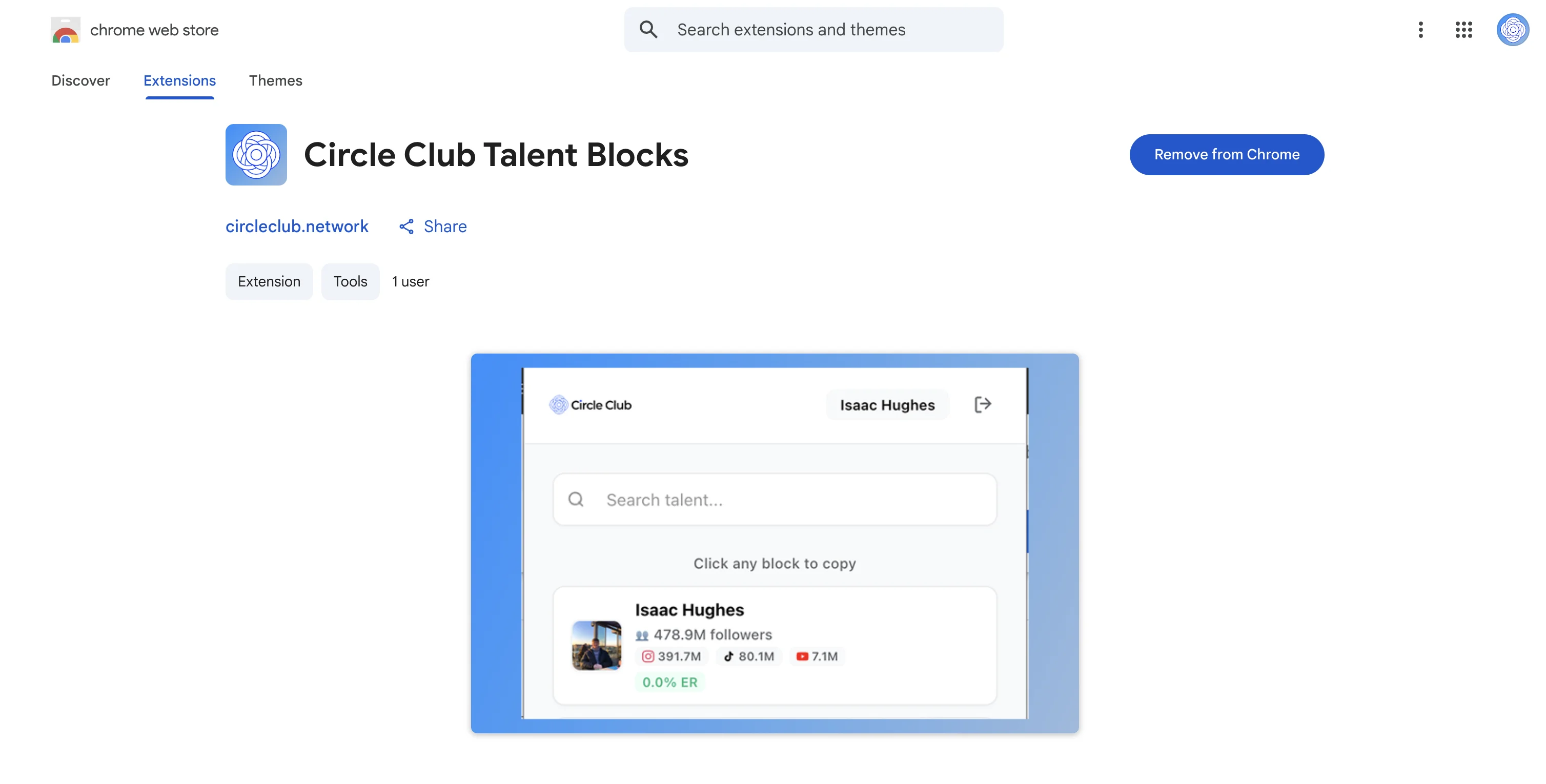
Install the Chrome Extension
- Open the Chrome Web Store
- Search for Circle Club Talent Blocks
- Click Add to Chrome
- Confirm the installation when prompted
Once installed, the extension will appear in your Chrome extensions toolbar.
Or go to The Circle Club Talent Blocks Page
Log In to the Extension
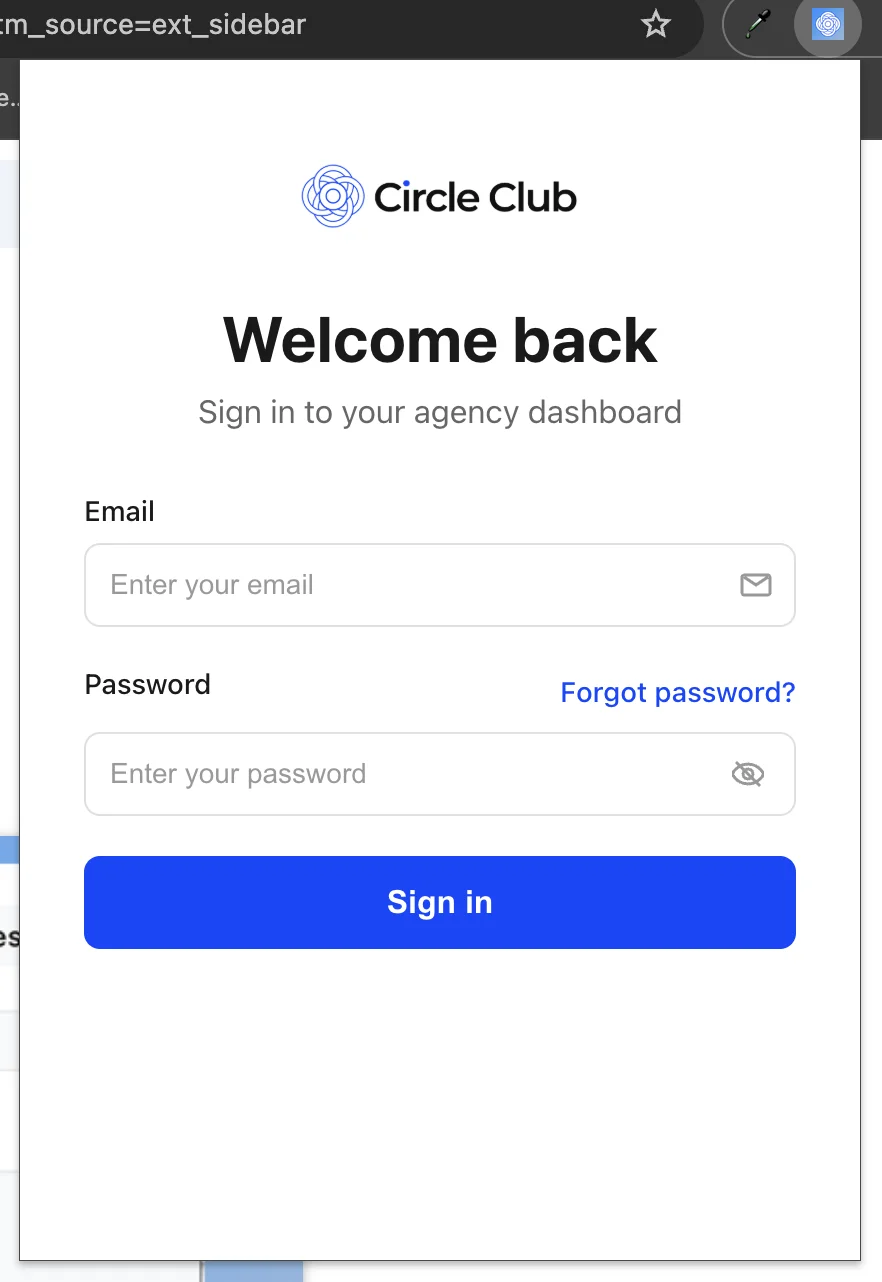
- Click the Circle Club Talent Blocks icon in your Chrome toolbar
- Enter your Circle Club login credentials
- Click Log in
After logging in successfully, the extension will load your agency data.
View Your Talent Roster
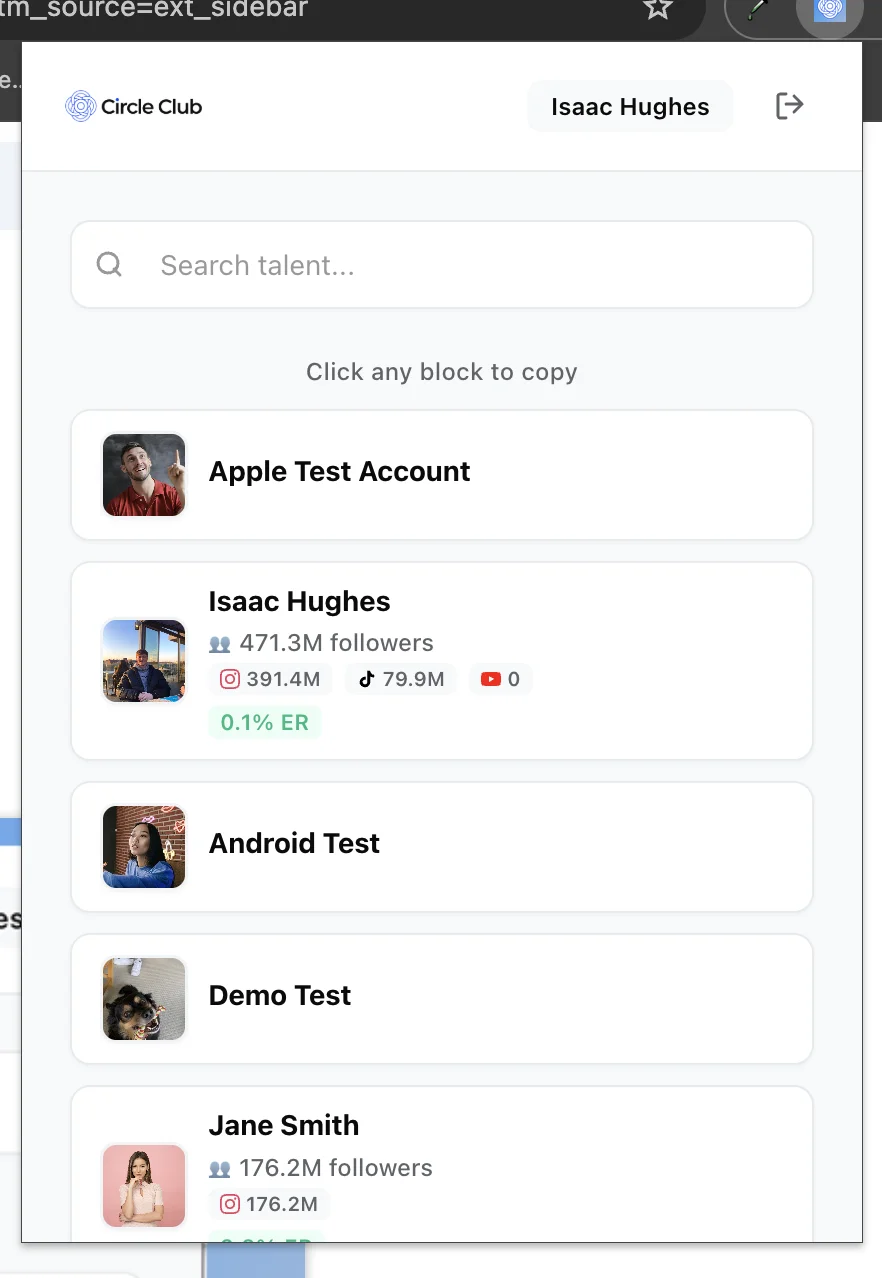
Once authenticated, you will see:
- A list of talent from your Circle Club roster
Each entry represents a creator managed by your agency.
Copy Talent Statistics
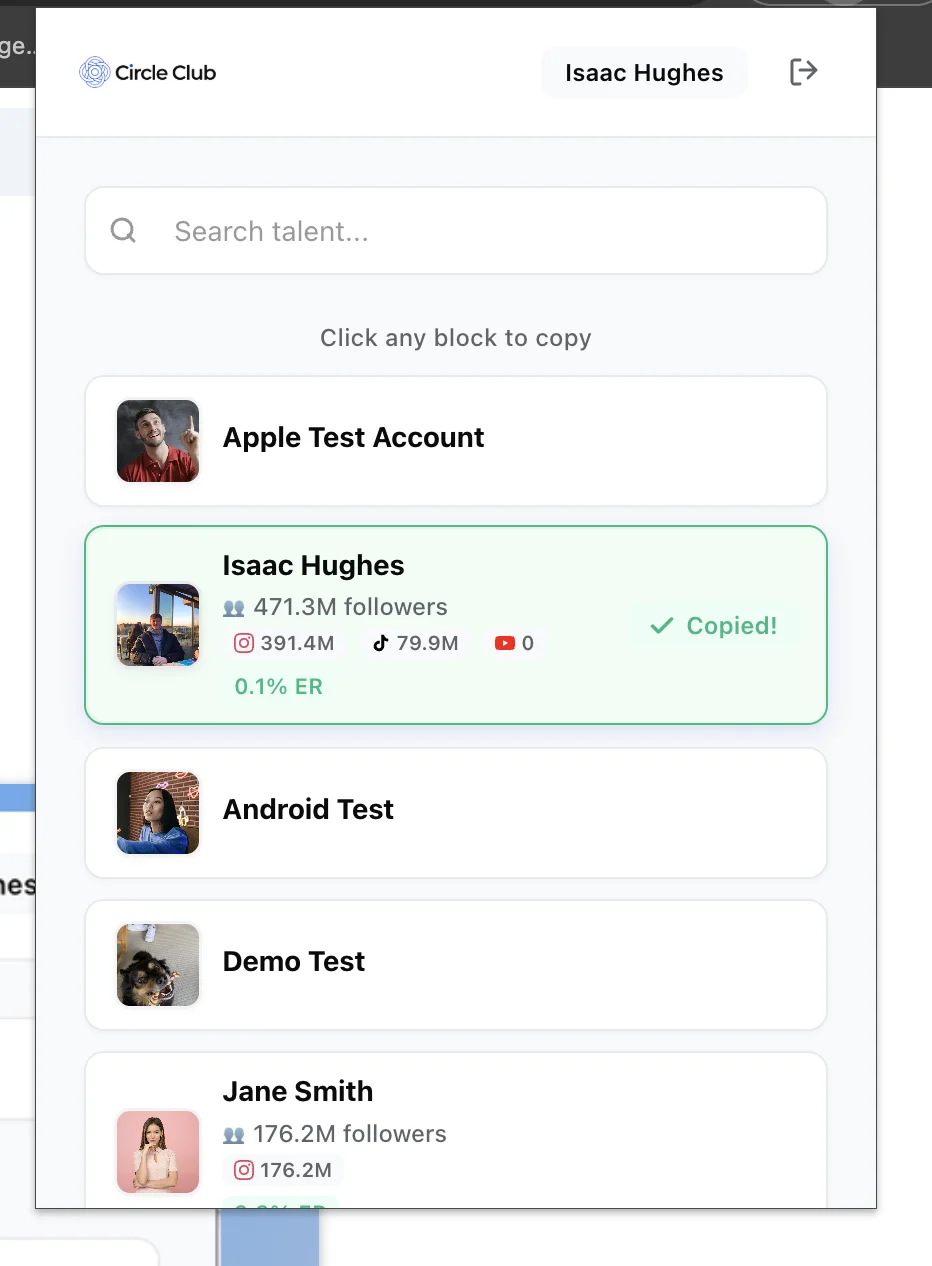
- Click on any talent in the list
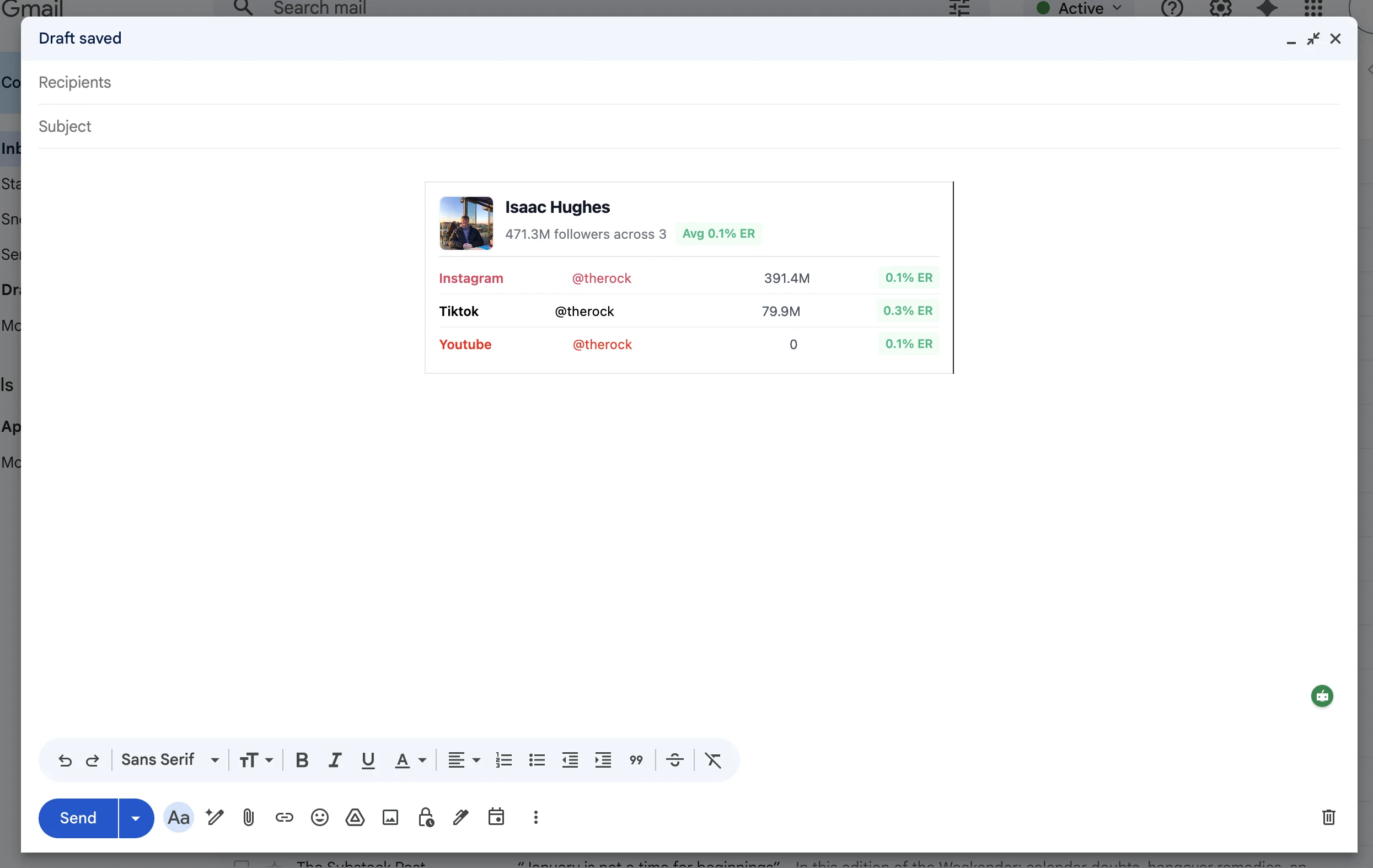
- The talent’s key statistics are automatically copied to your clipboard
No additional action or confirmation is required.
Paste Talent Stats
You can now paste the copied stats into:
- Emails
- Pitch decks
- Documents
- Notes
The copied data is formatted for quick reuse outside of Circle Club.
Summary
Using the Circle Club Talent Blocks Chrome extension:
- Install the extension from the Chrome Web Store
- Log in with your Circle Club credentials
- Select a talent from your roster
- Paste the copied stats wherever needed
The extension is designed to speed up talent sharing without leaving your workflow.